


Personalized recommendations
Find a starting point for your phone and the way you aim.
Find personalized sensitivity recommendations for Free Fire, shaped by device research and the way you like to play.
Give your aim a starting point that fits your setup. Take it into training, adjust what feels off and save the settings you want to come back to.
Find a starting point for your phone and the way you aim.
Explore Balanced, Headshot or Rush in Free Fire and Free Fire MAX.
Fine-tune individual scopes, undo changes and save the setup that feels right.
General, Red Dot, 2×, 4×, Sniper and Free Look. Keep your controls coherent, then adjust the ones that need attention.
A considered starting point across close-range movement and scoped aim. Tune each control as you practice.
A PREVIEW OF THE APP’S PLAYSTYLE OPTIONS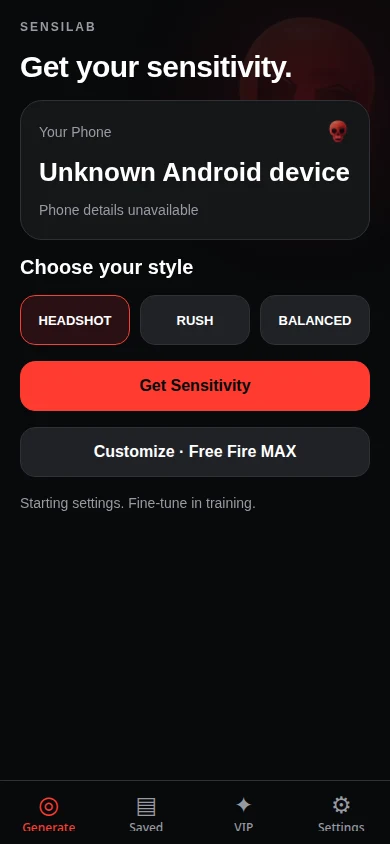
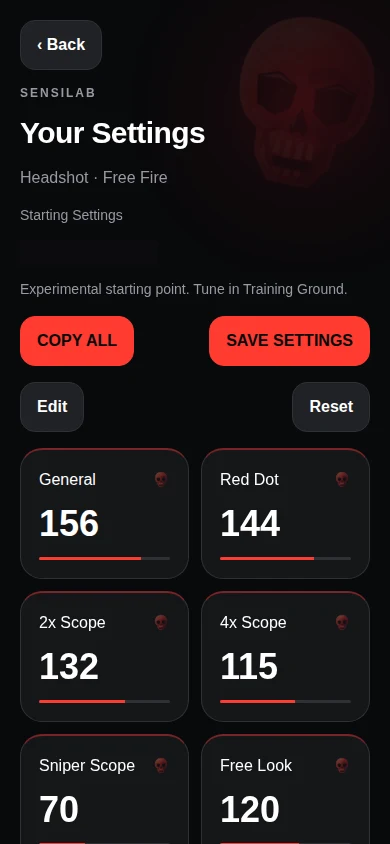
App previews with example settings. The results image omits a technical status label.
Get personal one-on-one guidance on sensitivity, drag control and HUD adjustments. Purchase in the Android app, then arrange your consultation with our team.
Explore VIP consultationFree sensitivity generation does not require an account. Google Sign-In protects VIP purchases and your private bookings.
Sensitivity can help you find a more comfortable setup, but it can’t guarantee headshots or a higher rank. Try your settings in training and adjust them as you play.
No. Supported refresh rates are hardware information, not a measurement of the game’s current frame rate or input latency.
Yes. You can open your saved presets offline. Some recommendations may require a connection.
You purchase in the Android app, then contact our official support team with your verified booking ID. The team arranges the consultation externally; there is no in-app calling platform.